Business 7 min read
Booking Platforms & Operations for Sauna Rentals
By Nomad Sauna
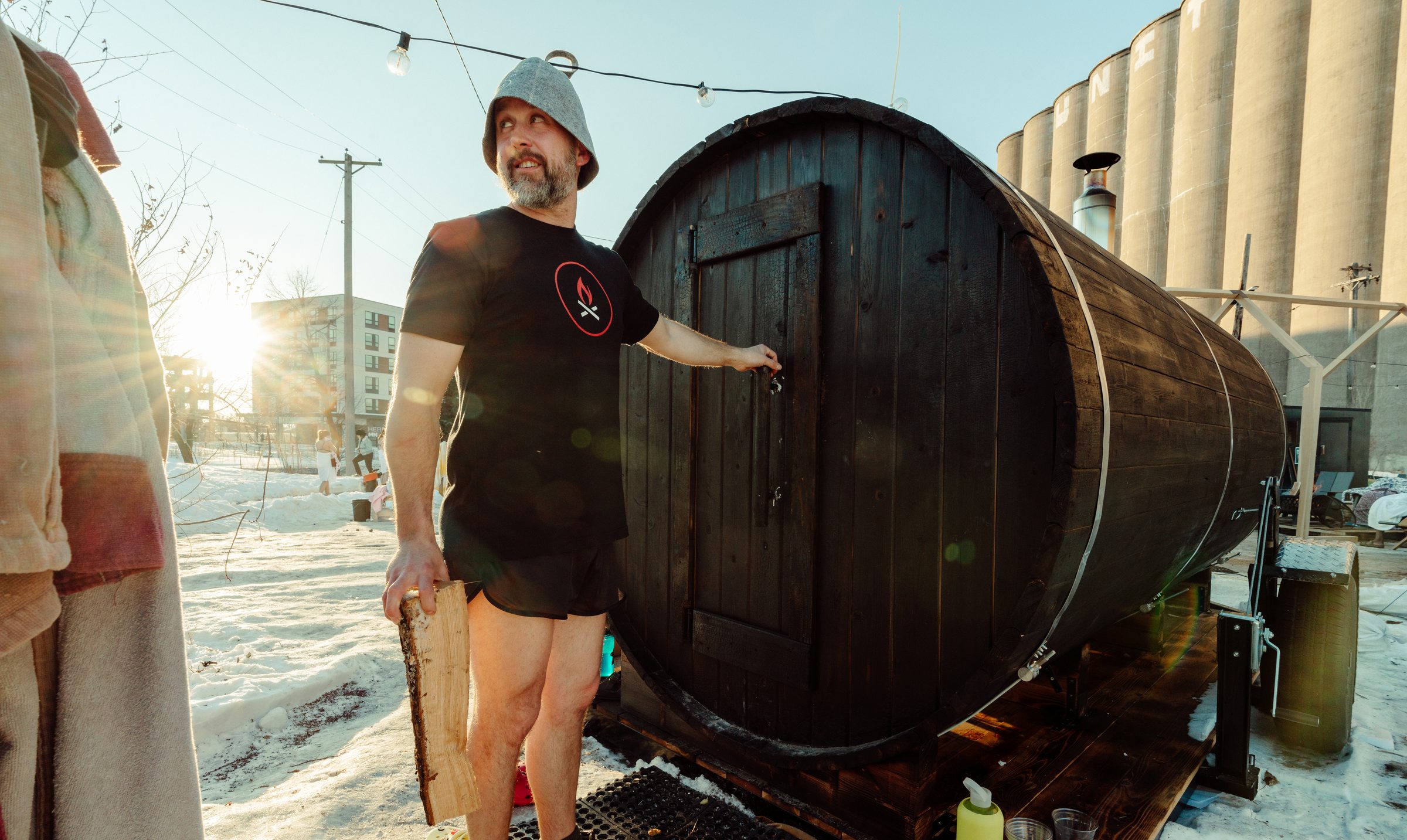
Booking software is the easy decision in a sauna rental business. The harder one is who is on site when the stove is lit, because that choice decides what you sell, how you schedule it, and which tool fits. Pick the operating model first, build the day around it, then choose the platform. This guide walks through both models using the operating plans behind Nomad's Mobile Series, then compares the booking tools that fit each. Software prices were checked October 7, 2026 and change often.
Pick the operating model first
Across Nomad's commercial clients, three business models keep proving out: private rentals, pop-ups and events, and community membership. Each one sells a different thing, so each one needs a different calendar.
Nomad's own one-day winter event on a frozen lake in Hudson ran the attended way. It offered four 90-minute slots, and each slot booked the entire sauna, which seats eight comfortably. Everyone who steps inside signs an e-waiver, and guests arrive no more than 15 minutes early. Whole-unit slots with a waiver per guest are the simplest attended format to run.
The unattended day, in five steps
On a multi-day rental the fire will not stay lit unless someone feeds it, so the guest takes over after a live walkthrough at drop-off. The operating plan is five steps, repeated.
- Book and confirm. The guest books online or by phone, pays a deposit, and gets a confirmation with the delivery window.
- Deliver, light, and walk through. Tow the trailer to the site, level it, chock the wheels, and light the fire. Before leaving, give a five-minute hands-on walkthrough of feeding, adjusting, and shutting down the stove.
- Guest runs the fire. The guest follows the walkthrough and a step-by-step card posted inside the door.
- Pick up. Return at the end of the window, confirm the fire is out and cool, hitch up, and tow back.
- Clean and repeat. Run the turnaround checklist, restock, and the unit is ready for the next booking.
A ten-minute pre-delivery check runs every time before the trailer leaves the shop: hitch and lights, chocks and leveling blocks, dry seasoned firewood, empty ash bucket, clear chimney and spark arrestor, stocked towels and water, and a fire extinguisher and first-aid kit on board. The guest card is short enough to reread mid-stay. It sets the target at 160 to 190°F, says to feed in small loads, bans accelerants like gasoline, kerosene, and lighter fluid, and tells guests to get out and call 911 if smoke will not clear or the chimney roars. The same card asks guests to skip alcohol and drugs, take 15-minute rounds, and drink water throughout.
The booking confirmation should carry the delivery window, deposit terms, waiver link, and house rules, so nobody signs a waiver in a driveway.
The attended day
Attended operations run on a heavier standard. One trained attendant is on site at all times, and two during peak hours or a full house. Only trained staff touch the stove. Before the first guest, the attendant checks the extinguisher, first aid kit, posted address, whistle, ash bucket, wheel chocks, non-slip mats, and the daily log, and signs the log at open and close. Each group gets a briefing before the first round, then 15-minute rounds with cool-down breaks. Guests wait outside in a marked queue, away from the chimney side of the trailer.
Occupancy is where booking software meets safety. Set the capacity in your platform to the operating maximum below, not the marketing number. An overbooked unit is an uncomfortable session and a heat-safety problem.
Two buffers belong on every calendar. First, heat-up: a wood-fired unit takes one to two hours to reach 160 to 190°F, so block that time before the first guest. Second, cool-down: stop feeding 30 to 60 minutes before close, let the stove burn to embers, and wait several hours for it to cool before maintenance. Ash holds heat for days, so it goes into a lidded metal bucket on non-combustible ground. Never schedule a same-day turnaround that skips the cool-down.
Platforms compared
Fees on free or low-cost plans are charged per booking, so a busy operator can pay more than the flat price of a paid plan. Confirm deposits, waivers, and SMS on the exact tier before you commit. If your platform does not include waivers, Smartwaiver starts at $19 a month for 100 waivers, with signing by email, text, or QR code. Have an attorney review the waiver language. Waivers do not replace insurance, which is covered in our guide to mobile sauna insurance and permits. Planning per-seat sessions? Read how to build a mobile sauna community before you pick.
Write the policies before the first deposit
Software enforces policies. It does not write them. Settle four before you take money.
Deposit. A deposit holds the date and funds the trip.
Cancellation. Pick a refund schedule that matches your fixed costs, and state it at checkout.
Weather. High wind affects the stove's draft and spark control, and the operating plan allows for adjusting or postponing when it is unsafe. Smoke advisories and burn bans belong in the same rule, since a wood-fired sauna may not be advisable in poor air. Rain and cold do not cancel a session. A sauna in light rain is a good time, and in winter the plan calls for sand or salt on pathways and lights aimed at the ground from dusk.
Paperwork. Operators need general liability insurance, a business license or permit (requirements vary by city), a signed rental agreement and waiver for every booking, and written permission from the property owner for any site they do not control. Check with your local clerk and fire marshal before the first rental.
This article provides general information and is not legal, tax, or financial advice. Software prices and features change, so confirm with each vendor. Check with your state tax agency on whether rentals and sessions are taxable.
FAQ
What is the best booking software for a sauna rental business?
It depends on the model. Rental tools like Booqable fit unattended drop-offs, schedulers like Acuity fit attended slots, and class-style tools like Square Appointments or Momence fit per-seat sessions.
Can a guest run the stove themselves?
On multi-day rentals, yes, after a five-minute live walkthrough at drop-off and with a step-by-step card posted inside. At attended sessions, only trained staff touch the stove.
Should I collect a deposit?
Yes. A deposit reduces no-shows and funds the delivery. Make the cancellation terms clear at checkout.
How many people can I book at once?
Use the unit's operating maximum, not the marketing capacity. A 12-foot unit runs 8 to 10 people.
The unit matters as much as the calendar, since a unit that is down is a booking you cannot take. Mobile Series operators receive the operating SOP, safety SOPs, and a waiver template, and we coach commercial mobile clients at no charge. Book a 30-minute consultation, read how to start a mobile sauna business, or set your rates with the mobile sauna rental pricing guide.
References
Related saunas
- Custom backyard barrel saunas — Delivered fully assembled, ready to fire the first night.
- Custom barrel saunas, built to order — Backyard, mobile, floating, and commercial builds. No kits.